Manage blog articles
Blog management (/admin/blogs) is the Marketing CMS for the public OikoHire blog.
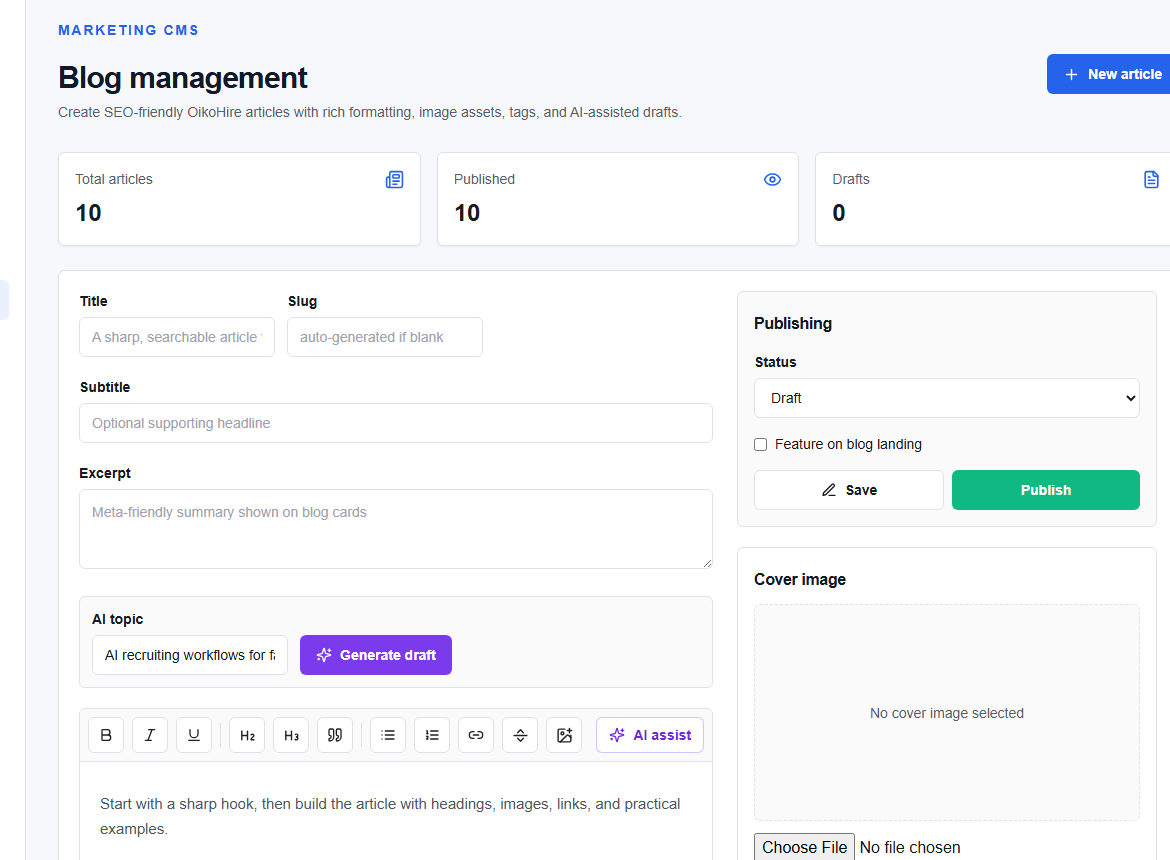
Create or edit an article
- Choose New article or select an item from the Article library.
- Add the title, slug, summary, author, tags, and publication settings.
- Write the body with the editor controls such as Bold, Italic, headings, lists, and links.
- Upload only licensed, optimized images with useful alt text.
- Preview the article before saving or publishing.
AI-assisted drafting
Generate draft can create a starting point. Review facts, names, statistics, links, tone, and claims; remove anything unsupported or confidential.
Publishing
Confirm the intended status and publish time. Public content is immediately discoverable after publishing and may appear in search and social previews. Use a draft or scheduled state until editorial approval is complete.
If an article must be removed, prefer the CMS status workflow so the action is auditable. Coordinate redirects when a published URL has already been shared.