Candidate management
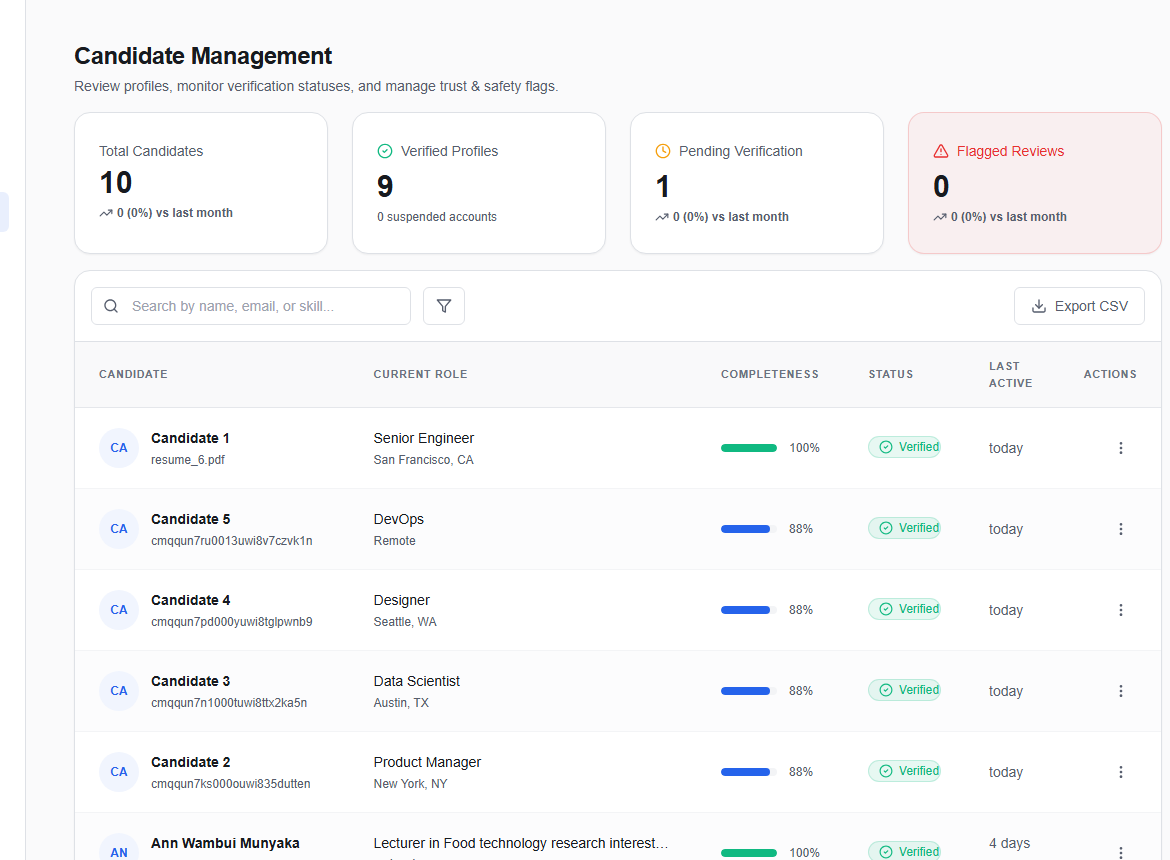
The Candidate Management page (/admin/candidates) gives admins full visibility into the candidate database with search, filtering, profile completeness scoring, and data export.
Candidate table
The table lists all candidate accounts on the platform.
Columns
| Column | Description |
|---|---|
| Name | Full name or primary email if no name set |
| Headline | Professional headline from profile |
| Location | Reported location |
| Status | Verified (ACTIVE / OPEN_TO_WORK), Flagged (ARCHIVED), or Pending |
| Completeness | Percentage of core profile fields filled (name, headline, location, summary, resume, skills, experience) |
| Last updated | Relative date of last profile modification |
| Skills | Top skill tags (truncated) |
Searching and filtering
- Search bar — searches by name, email, headline, or location
- Status filter — toggle between All, Verified, Pending, or Flagged
- Experience filter — minimum years of experience
Entity detail
Click any row to open the Entity Detail view showing all stored profile fields.
Exporting candidates
Click Export to download a JSON file containing the visible candidate list. Fields exported: id, name, email, headline, location, status, skills.
warning
Exported files contain personal data. Handle according to your data retention and privacy policies.