Admin messages
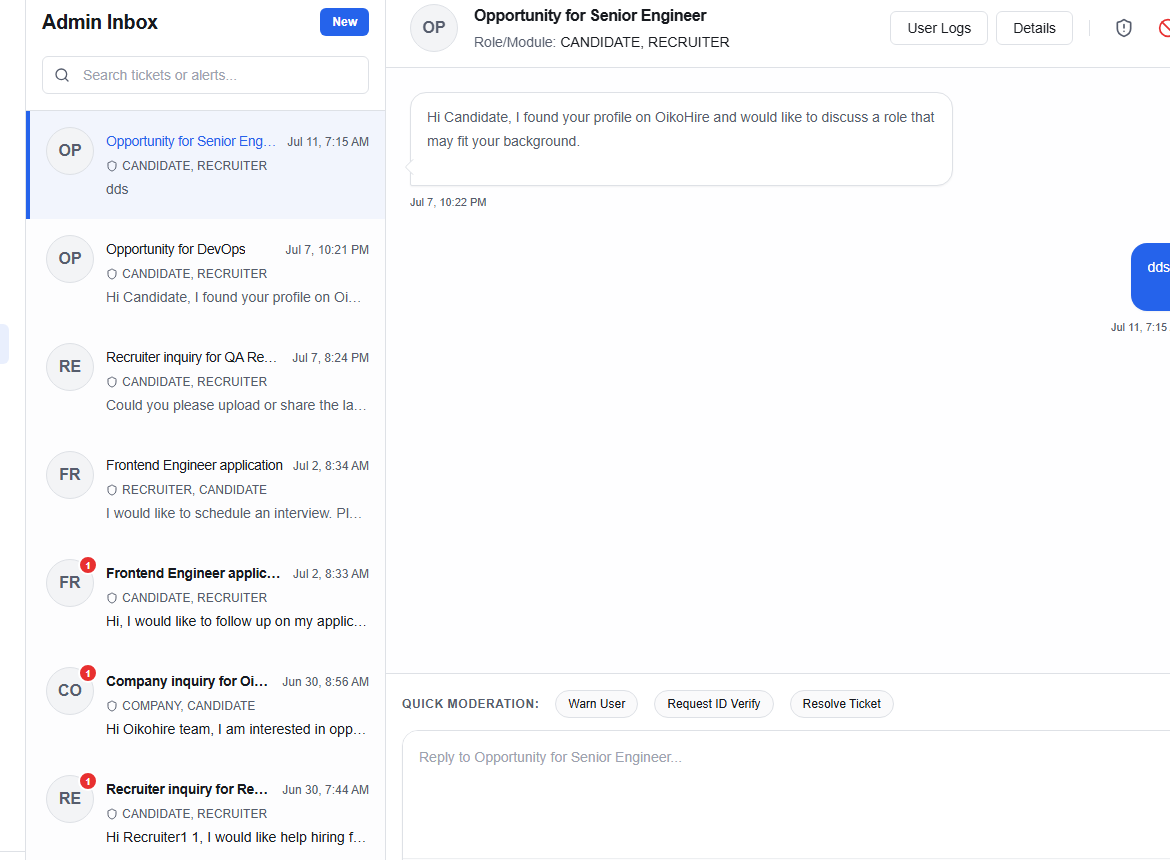
The Admin Messages page (/admin/messages) provides a direct communication channel for platform administrators.
Purpose
Admin messages are used to:
- Communicate directly with users about account issues or policy violations
- Follow up on trust & safety reports
- Coordinate with Operations and AI Reviewer staff
Inbox layout
| Panel | Content |
|---|---|
| Left | Conversation list sorted by most recent — contact name, preview, unread badge |
| Right | Full message thread for the selected conversation |
Sending messages
- Select an existing conversation or click + New conversation to start one.
- Search by user name or email.
- Type your message and press Enter or click Send.
Administrative context
Messages sent from an Admin account are tagged with an Admin badge visible to the recipient. Users can see they are communicating with a platform administrator.
tip
For platform-wide announcements, use the System Status maintenance banner instead of messaging individual users.