Recruiter management
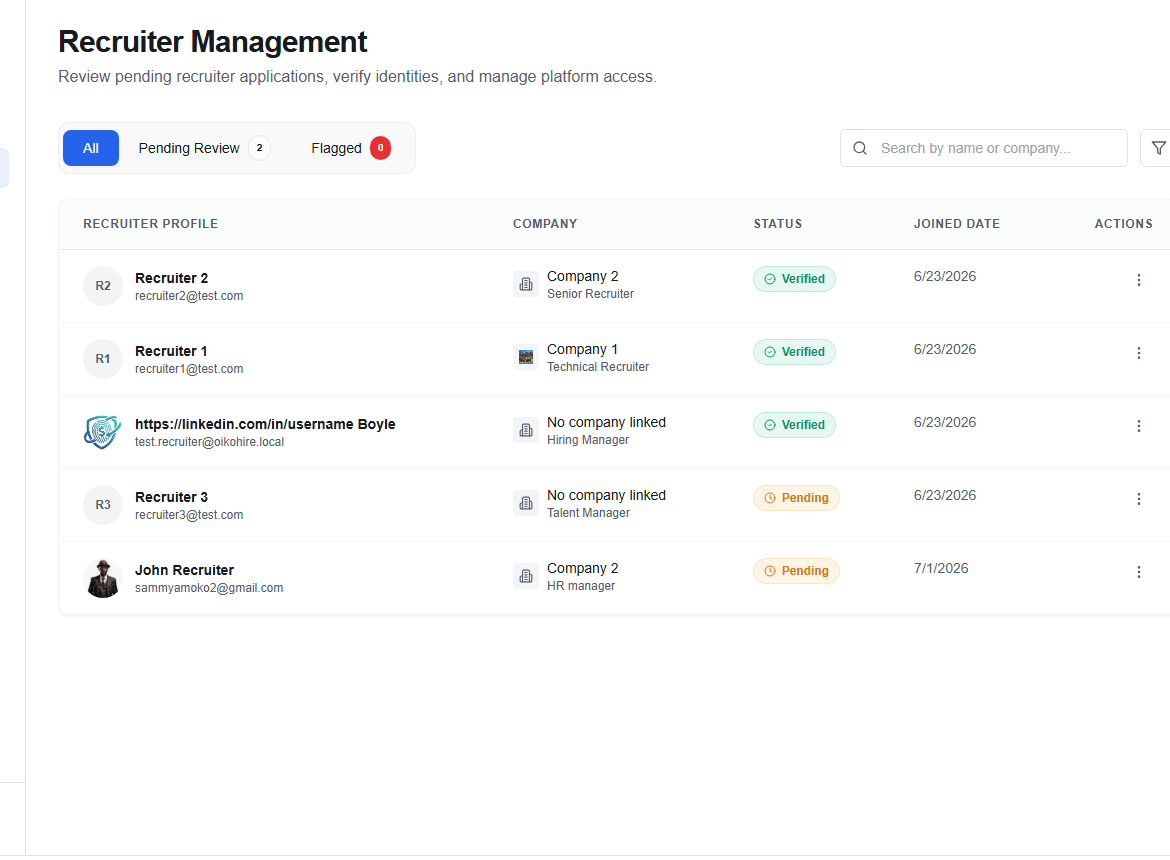
The Recruiter Management page (/admin/recruiters) handles recruiter identity verification and risk assessment.
Verification cases table
Each row is a verification case submitted by a recruiter:
| Column | Description |
|---|---|
| Name / Email | Recruiter's display name or email |
| Company | Associated company name (if any) |
| Title | Recruiter's declared job title |
| Risk level | Computed risk tier: LOW, MEDIUM, HIGH |
| Evidence count | Number of supporting documents submitted |
| Status | Verified, Pending, Info requested, Flagged, or Rejected |
| Submitted | Date of case submission |
Filtering
Use the tab filters to view:
- All — every verification case
- Pending — cases awaiting review
- Info Requested — cases waiting for recruiter to respond
- Verified — approved recruiters
- Flagged — cases marked for elevated scrutiny
- Rejected — denied applications
You can also filter by backend status using the Filter drawer.
Reviewing a case
Click a row to open the case detail panel:
- Review submitted evidence (documents, LinkedIn profile, work email domain).
- Add an Admin note for internal record-keeping.
- Choose an action:
| Action | Effect |
|---|---|
| Approve | Sets status to APPROVED; recruiter gains full access |
| Request info | Sends an automated request to the recruiter for additional evidence |
| Reject | Sets status to REJECTED; recruiter is notified |
note
Flagged cases with HIGH risk level should always be reviewed before approval.