Track your applications
Applications (/dashboard/candidate/applications) keeps submitted roles and their history in one workspace.
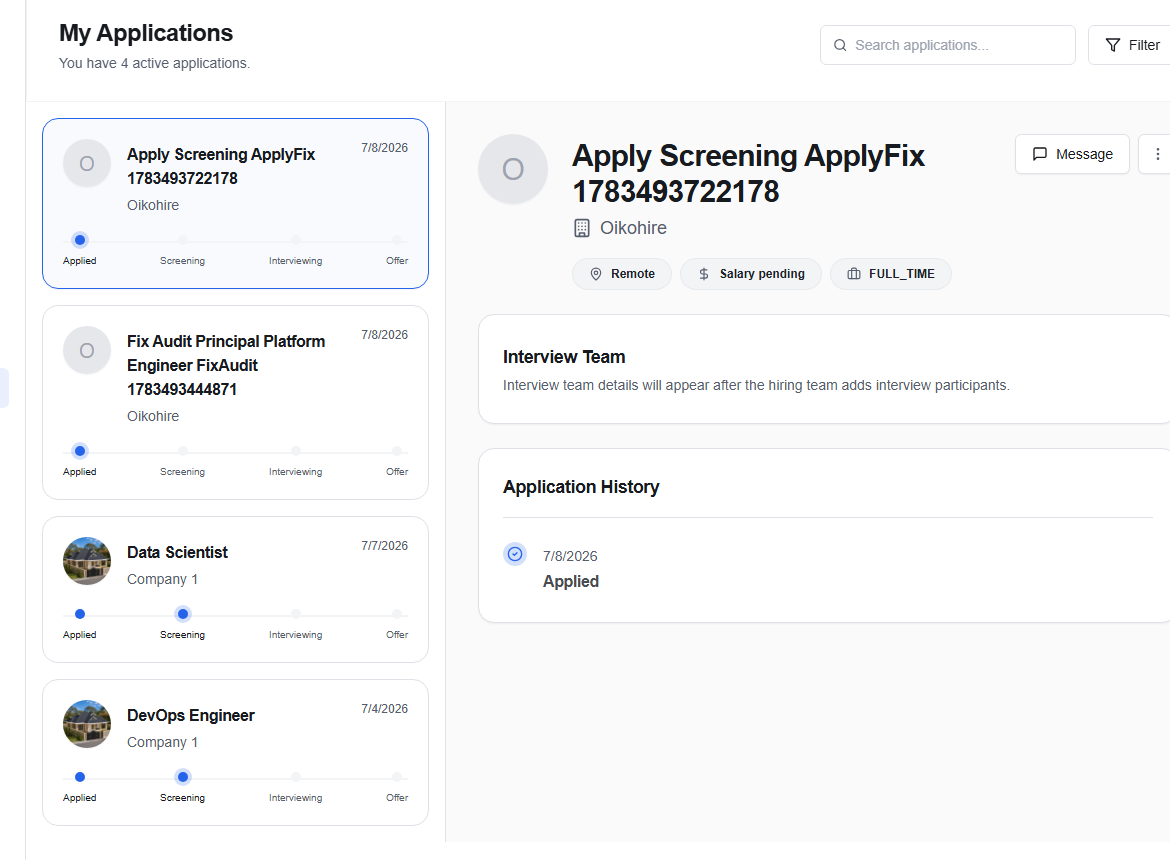
Find an application
Use Search applications… to narrow by role or company. Choose Filter for status-based views. Select an application to open its detail panel.
The selected view can include:
- the current status;
- the interview team, when assigned;
- an application history or stage timeline;
- a Message action for the related conversation.
If the detail panel says No application selected, choose an item from the list. If the list is empty, begin from Job recommendations or the public Jobs directory.
Keep useful notes elsewhere
OikoHire records the platform’s stage history, but it is still helpful to keep your own private notes about preparation, contacts, and follow-up dates. Never put confidential information from one company into a message to another.
Status changes are controlled by the employer’s workflow. If a status looks stale, use the related conversation rather than submitting a duplicate application.