Practise with mock interviews
Mock Interviews (/dashboard/candidate/mock-interviews) gives you a place to start new practice and revisit completed sessions.
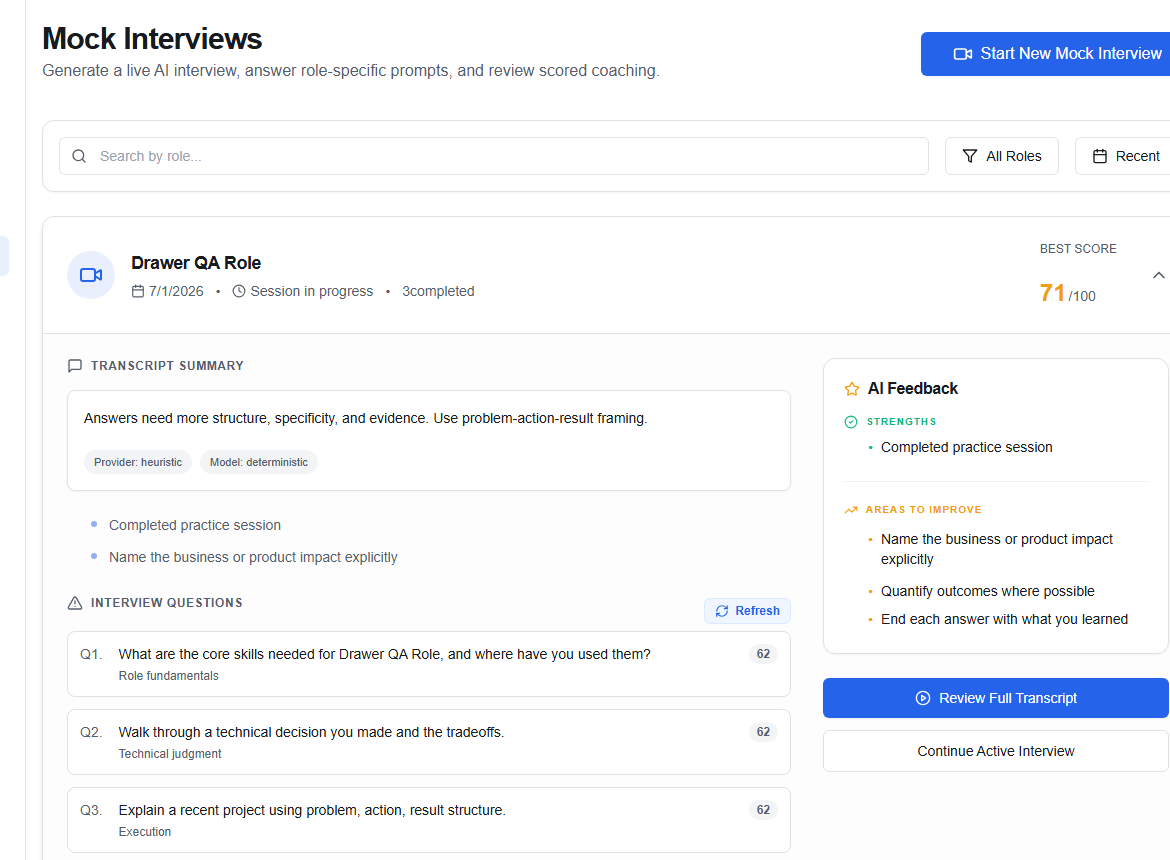
Start a session
- Choose Start New Mock Interview.
- Select the role or interview focus when prompted.
- Check your microphone and choose a quiet place.
- Answer as you would in a real interview.
- Finish the session to generate feedback.
The page can be filtered by role and recency. Use the role search when your history becomes longer.
Review a completed session
Choose Review Full Transcript to inspect the conversation and feedback. Look for repeated patterns: vague outcomes, missing context, overly long answers, or examples that do not show your own contribution.
Practice Similar Questions starts another round around the same theme.
Mock interview feedback is AI-assisted. Do not treat a score or suggestion as a guarantee of hiring success. Check factual advice and keep your answers truthful.
For a structured improvement plan, connect the feedback to a task in Preparation or Readiness.