Manage your resume
The Resume Manager (/dashboard/candidate/resume) stores the document used to extract your experience, education, skills, and professional summary.
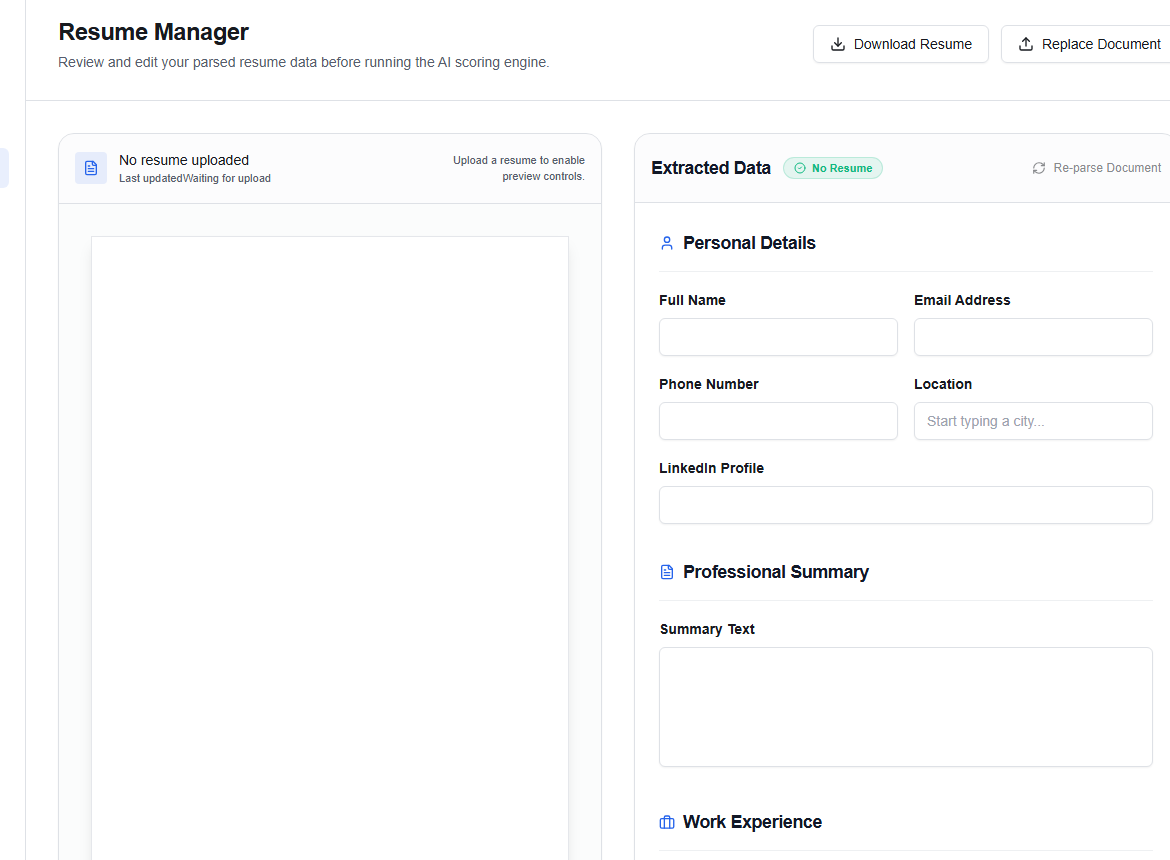
Upload or replace the document
Use Replace Document when you have a newer resume. After the upload completes, choose Re-parse Document if extracted information has not refreshed automatically.
Use a text-based PDF or DOCX with simple headings. Multi-column layouts, decorative graphics, and text embedded in images are harder to parse reliably.
Review extracted data
Check these sections before you rely on matching:
- Personal Details
- Professional Summary
- Work Experience
- Education
- Skills & Competencies
Use Add Experience, Add Education, and the skill input to correct or supplement the parsed result. Fix factual errors here and in Profile.
Analyze the resume
Analyze & Score Resume refreshes the resume signal used in readiness guidance. The result is advisory: it can identify missing evidence or unclear structure, but you decide what is truthful and relevant.
Export PDF downloads the current document view. If preview controls are disabled, the account may not have a parsed file yet—upload a document first.
Example skill entry
Add concrete, searchable skills such as TypeScript, Customer discovery, or Financial modelling. Prefer the exact tools and capabilities you have used over broad labels like hard-working.