Keep company conversations moving
Messages (/dashboard/company/messages) combines hiring threads with conversation context, next actions, and shared files.
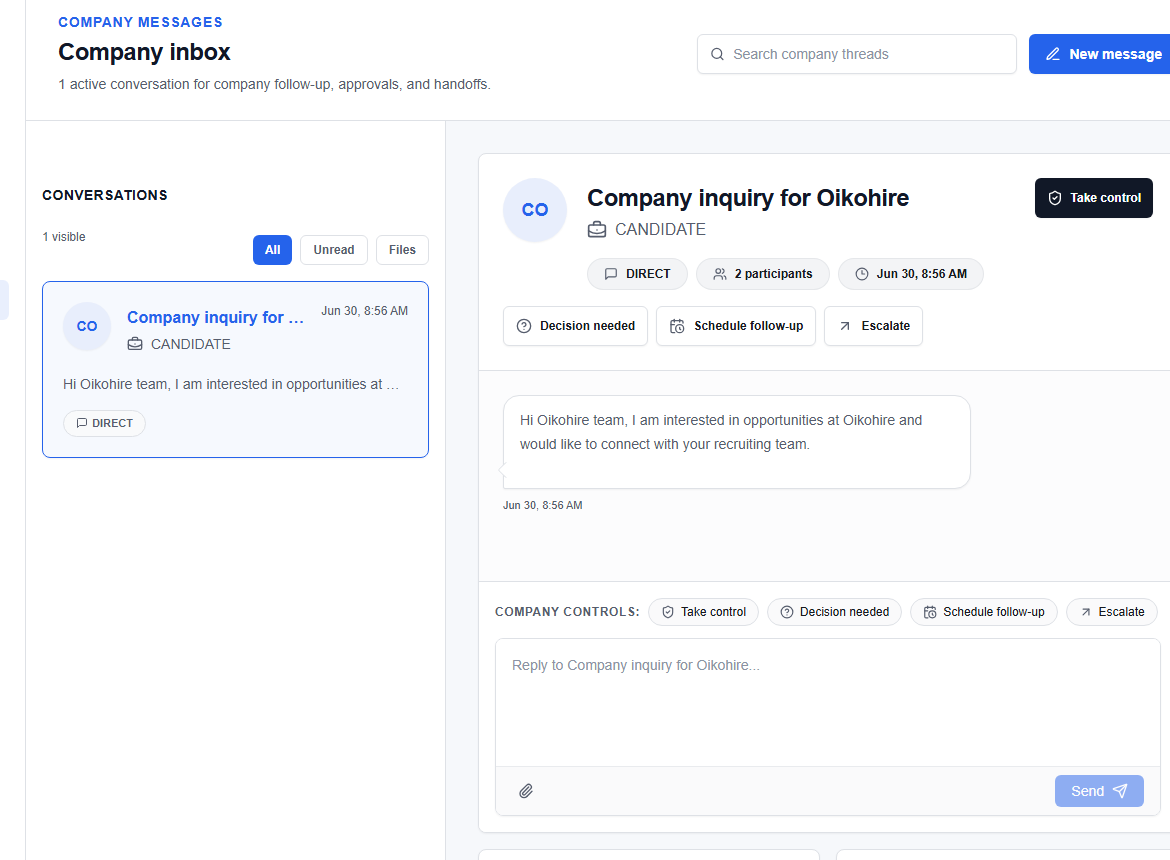
Find or start a thread
Use Search messages, Filter, or New thread. Select a conversation before using the reply composer.
Conversation actions
Depending on the thread, you can call the candidate, start a video call, review thread actions, attach files, or add a next action. Write in Write a reply… and choose Send reply.
warning
Confirm the recipient, job, and company context before sending. Do not share internal scorecards, another candidate’s information, credentials, or private interview notes.
Use shared files only for documents the company is allowed to retain and the candidate expects to provide.