Work the support queues
Operations has separate queues for Candidates (/ops/candidate-support) and Recruiters (/ops/recruiter-support).
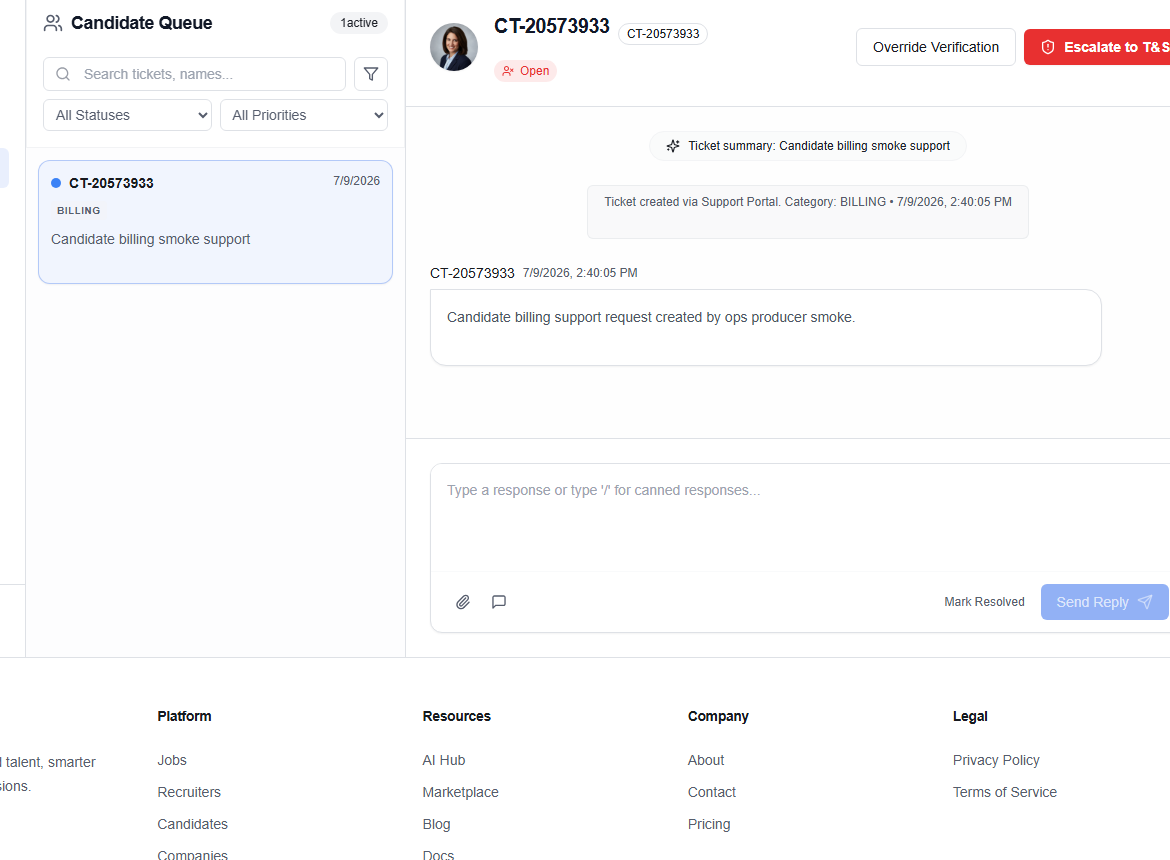
Candidate Support
Search tickets, apply the queue filter, select a case, and review its full context. Available actions can include Override Verification, Escalate to T&S, templates, attachments, Mark Resolved, and Send Reply.
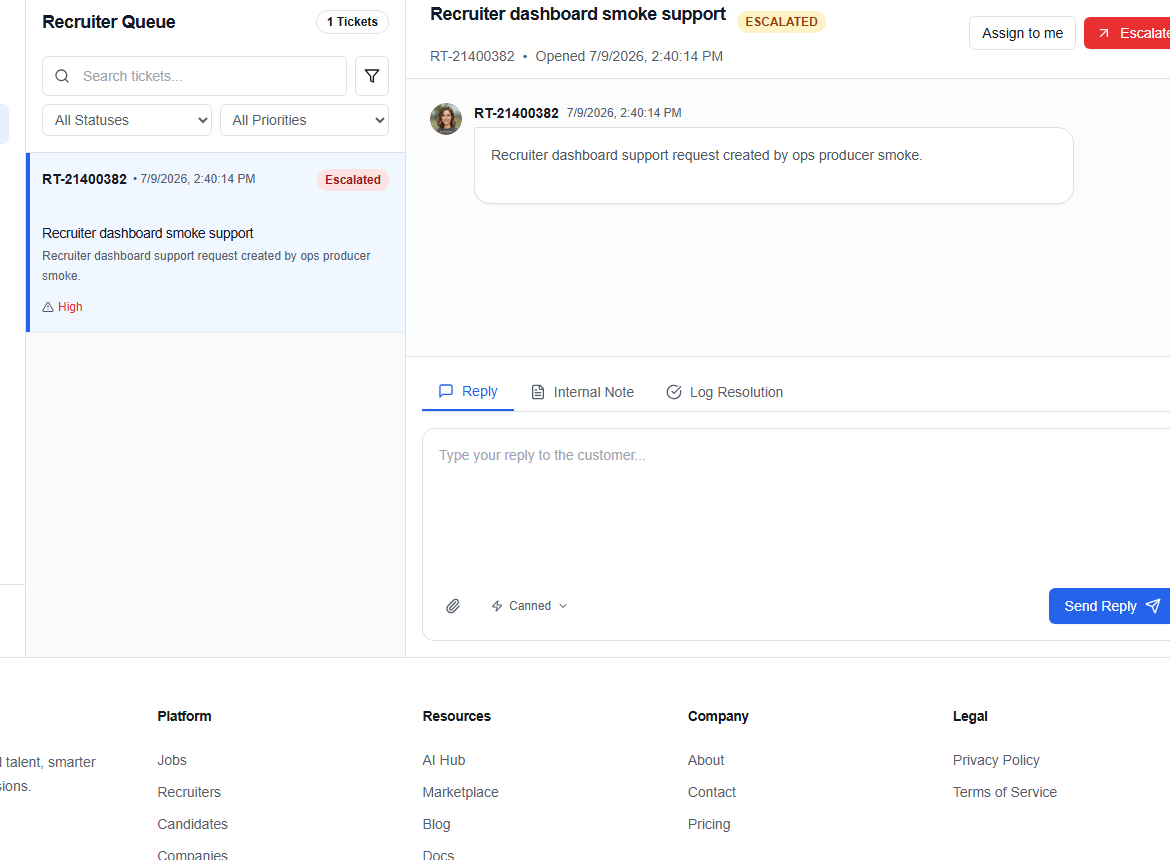
Recruiter Support
Search the queue, select a ticket, and use Assign to me, Escalate, Reply, Internal Note, or Log Resolution as the case requires.
Separate the customer-facing reply from the internal note. The reply should explain the outcome and next step; the internal note should preserve evidence, investigation detail, and handoff context.
Use an override only when policy allows it and the required evidence is present. Otherwise escalate instead of forcing the case closed.