Coordinate recruiter interviews
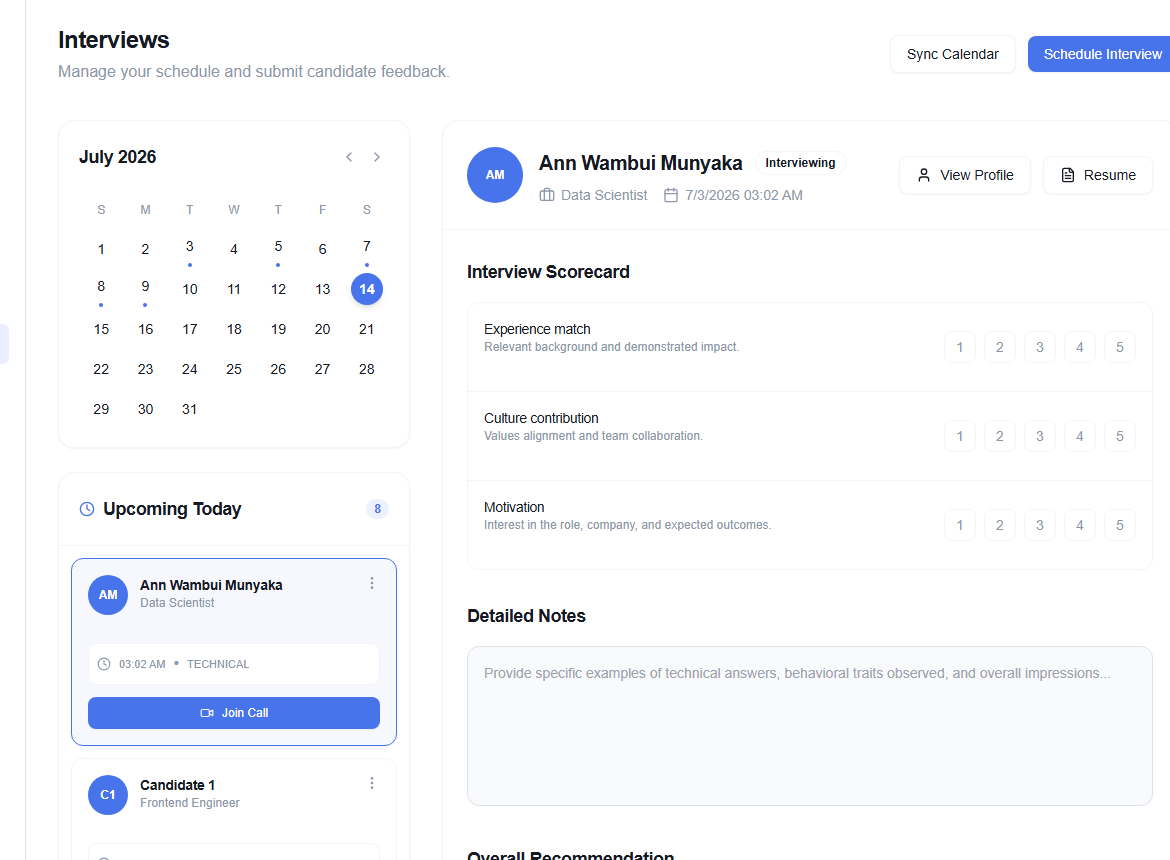
Interviews (/dashboard/recruiter/interviews) combines a monthly calendar, today’s agenda, and the selected interview scorecard.
Schedule and sync
Use Schedule Interview to create a session. Choose Sync Calendar to connect the configured calendar provider; provider consent opens outside OikoHire.
Move between months with the previous and next controls, then choose a date or interview from the agenda.
Complete the scorecard
The selected interview can include Technical Competency, Architecture & Design, Communication, Cultural Alignment, Detailed Notes, and an Overall Recommendation.
Write evidence while it is fresh. Tie each rating to an observed answer or behavior, and separate job-related evidence from personal preference.
If the scorecard is empty, first select an interview. Calendar events may take a moment to appear after a provider sync; refresh once before reconnecting the provider.