Manage recruiter conversations
Messages (/dashboard/recruiter/messages) keeps the conversation, candidate or job context, notes, and next actions together.
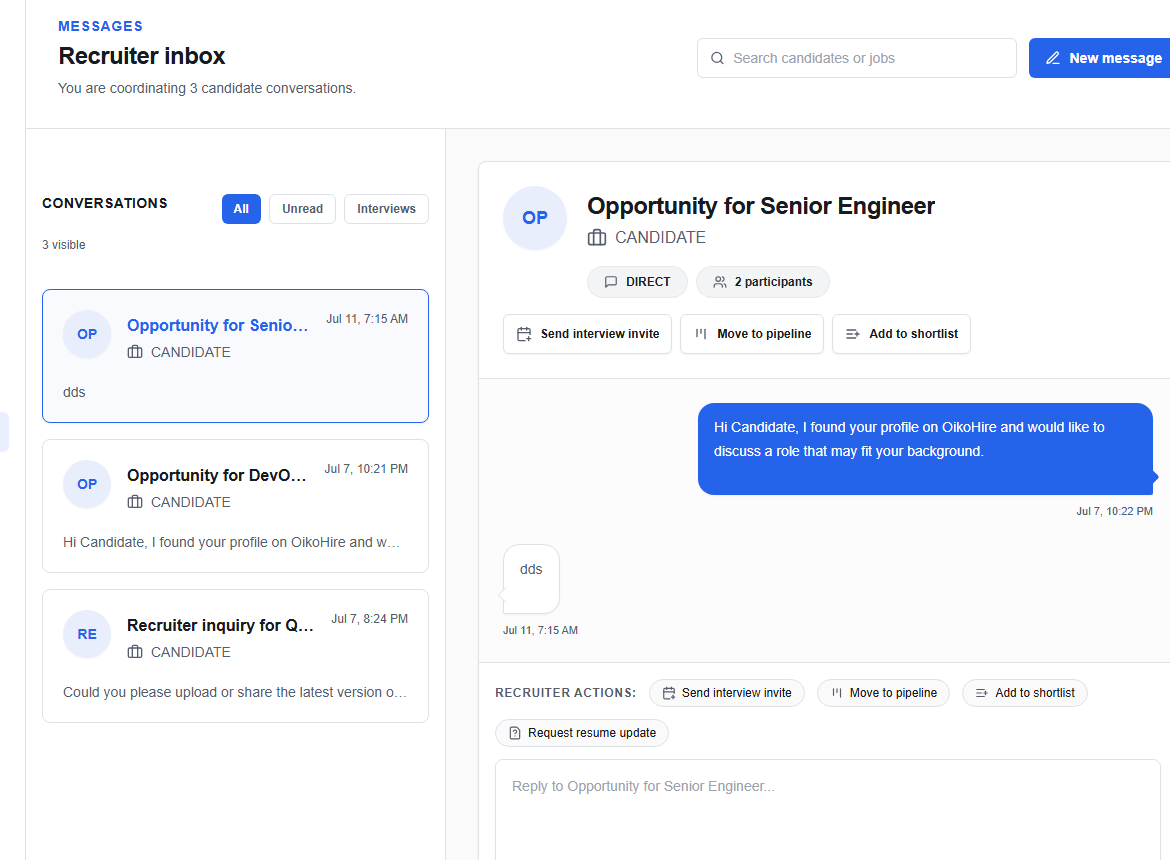
Find or start a thread
Use New message or search by candidate or job. Filter between All and Unread, then select a thread.
Use contextual actions
Depending on the selected conversation, you can:
- send an interview invite;
- move the candidate to a pipeline;
- add the candidate to a shortlist;
- request a resume update;
- attach a file;
- confirm panel availability or send a preparation packet.
Write in the composer and choose Send message.
warning
Check the recipient and job context before using an action. A pipeline or interview change can affect other members of the hiring team, not just the conversation.