Manage the hiring pipeline
Pipeline (/dashboard/recruiter/pipeline) organizes active candidates around a selected job.
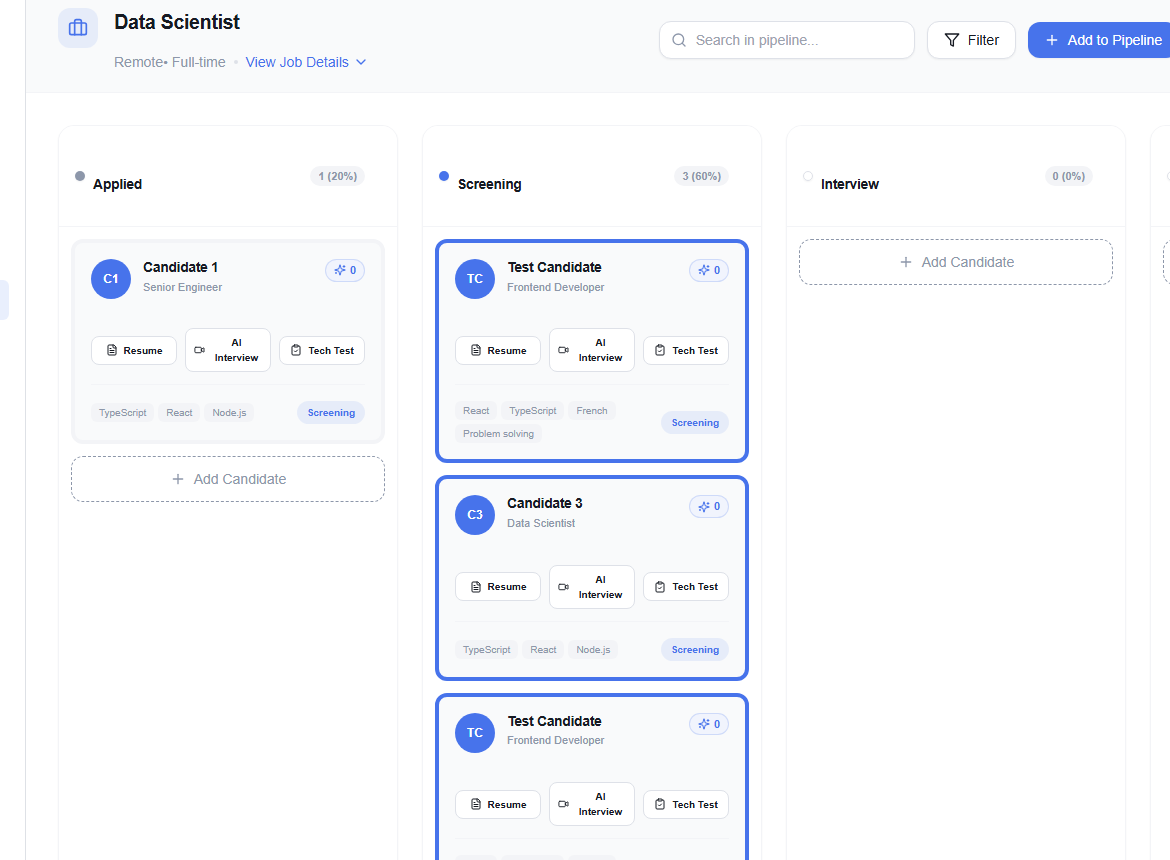
Choose the role and find candidates
Confirm the job shown at the top, use View Job Details when you need the full brief, and search within the pipeline to locate a person quickly. Filter narrows the current board.
Maintain the workflow
- Add to Pipeline brings a candidate into the selected job process.
- Add New Stage extends the workflow when your organization permits custom stages.
- Move candidates only after the underlying decision or event has occurred.
tip
Agree on stage definitions with the hiring team. For example, “Interview” should mean the same thing to every recruiter using the board; otherwise reporting and follow-ups become unreliable.
Before closing a job, check for candidates who still need a message, disposition, or recorded outcome.