Switch account roles
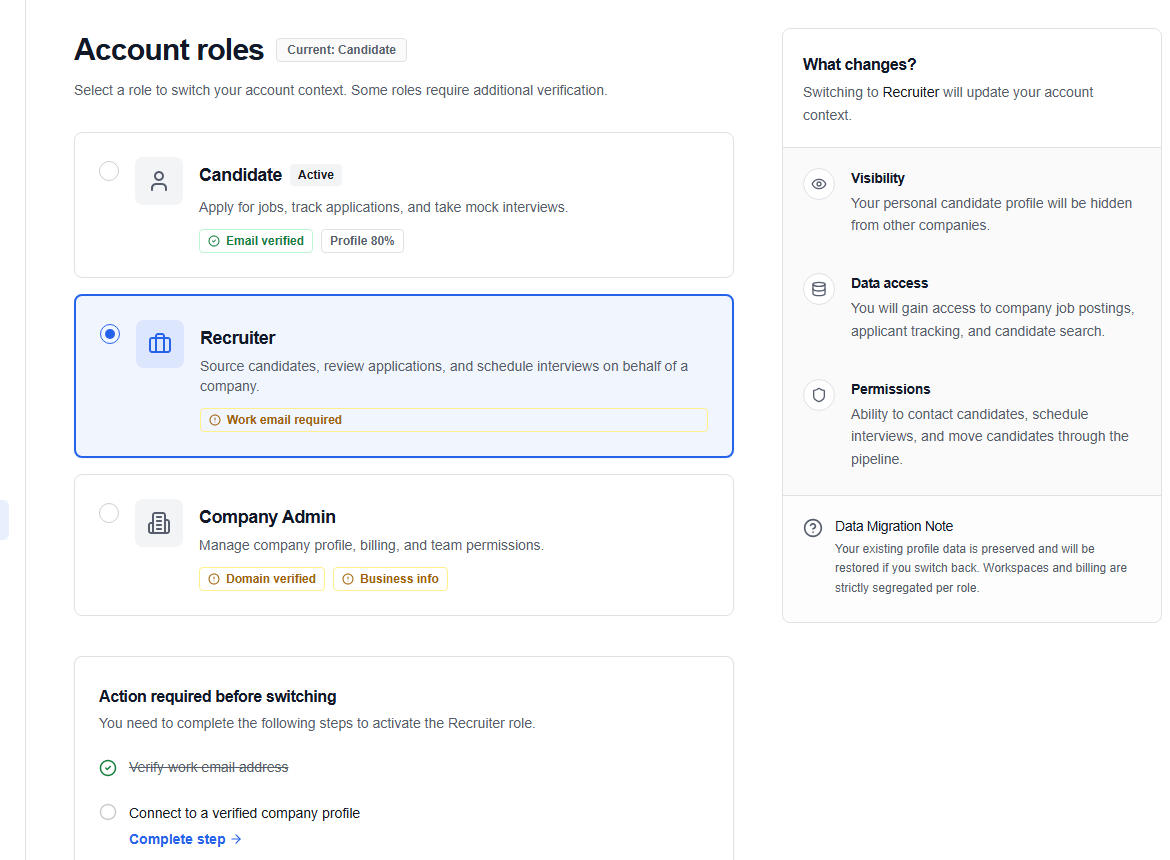
The Account roles page (/account/roles) is the safest place to change between Candidate, Recruiter, and Company workspaces available to your account.
Before you switch
- Save unfinished forms in the current workspace.
- Check whether the target role still needs verification or onboarding.
- Expect the navigation and dashboard data to change with the selected context.
Switch context
- Open your account menu and choose Switch role.
- Review the available role cards.
- Select Switch for the role you want.
- OikoHire refreshes your session and opens that role’s active dashboard.
Candidate, Recruiter, and Company are the only self-service switchable roles. Admin, Operations, AI Reviewer, and Super Admin access must be assigned through staff permissions.
warning
Never use role switching to work around a missing permission. If a role or action is unavailable, ask the workspace owner or OikoHire support to review your access.