Keep your account secure
Security and privacy controls vary by active role. Open the account menu and choose Settings, then use the role-specific guide for Candidate, Recruiter, or Company.
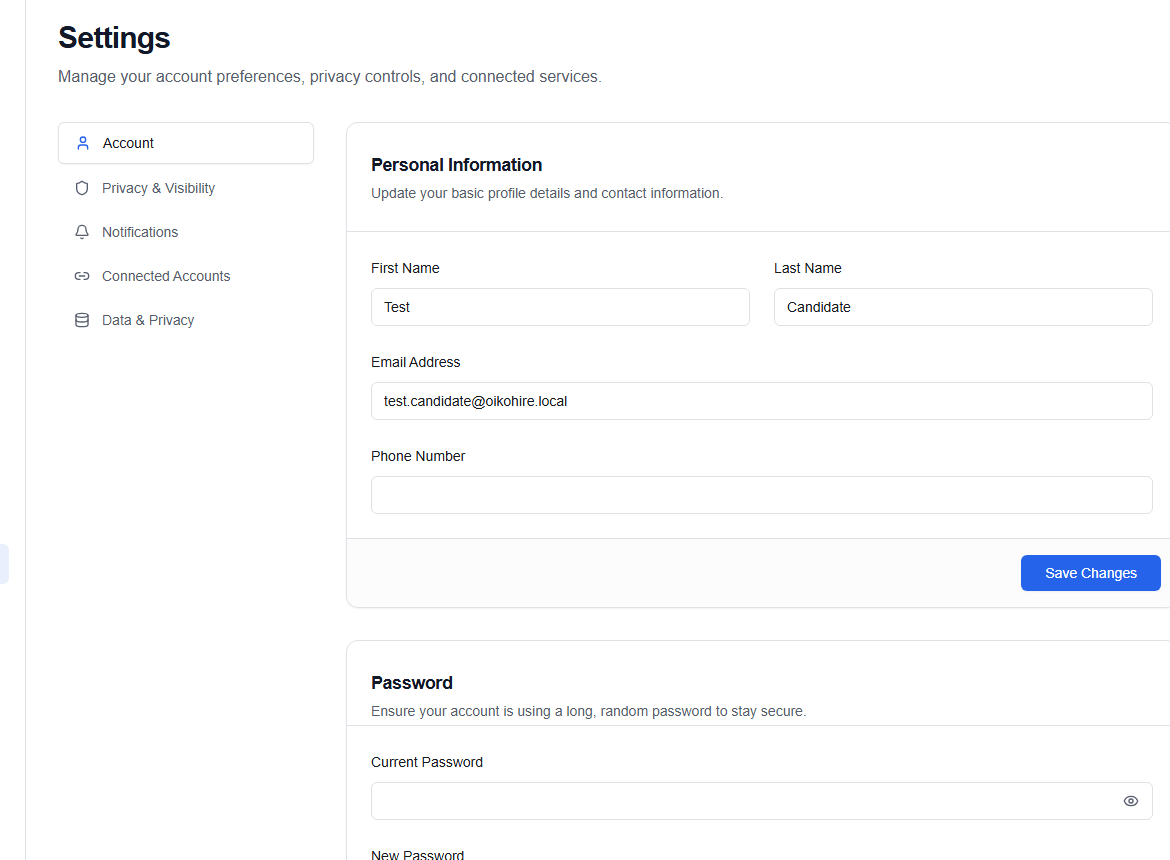
Account details
Keep your email and phone current. A changed sign-in identifier may require a fresh verification code.
Password
When the page asks for the current password, enter it before the new password and confirmation. Use a unique password with at least eight characters; a password manager can generate something stronger.
Two-factor authentication
Enable 2FA from /two-factor/setup and confirm the six-digit code sent to the verified contact. During sign-in, /two-factor verifies the active challenge. See Two-factor authentication.
Connected accounts
Review Google, LinkedIn, calendar, and communication-provider connections where your role exposes them. Disconnect access you no longer use.
Privacy and data
Candidate settings include visibility and data controls; company settings include workspace security and SSO where enabled. Read export, retention, and deletion confirmations carefully.
Account deletion or organization-wide security changes can be irreversible. Export anything you must retain, verify the active role or company, and confirm the recovery path before continuing.