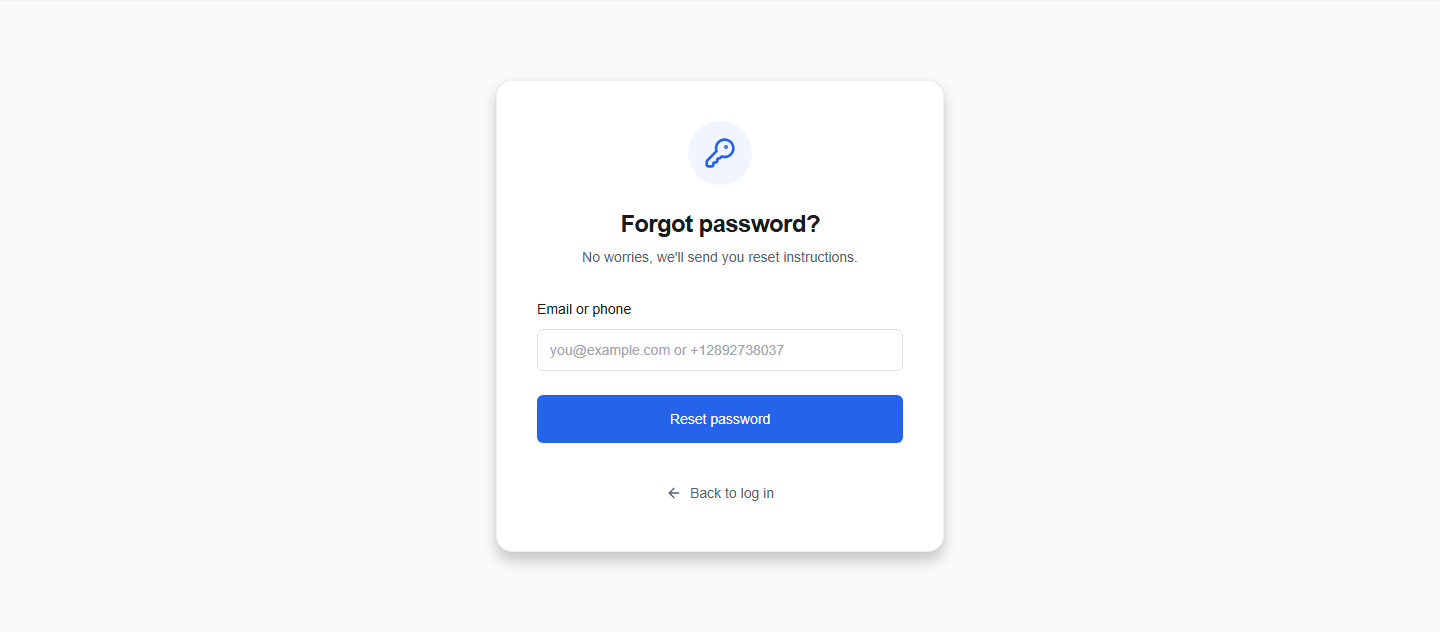
Reset your password
If you forgot your password or got locked out, you can request a password recovery code via your registered email address or phone number and set a new password.
1. Request recovery code
- On the Sign In page, click the Forgot password? link.
- In the Email or phone field, enter your registered email address (e.g.
you@domain.com) or phone number (in international format starting with+). - Click the Reset password button.
- OikoHire will generate a 6-digit reset code and send it via your selected contact method.
- The form will switch to the Reset password mode.
2. Enter code and new password
Once the form transitions (or if you click a reset link containing a code parameters):
- Email or phone: Ensure the field matches the identifier you requested the code for.
- Code: Enter the 6-digit numeric OTP code you received.
- Password: Type a new password.
- Requirement: Must be at least 8 characters long.
- Click Update password.
- Once validated, OikoHire will update your credentials and redirect you to the Sign In page.