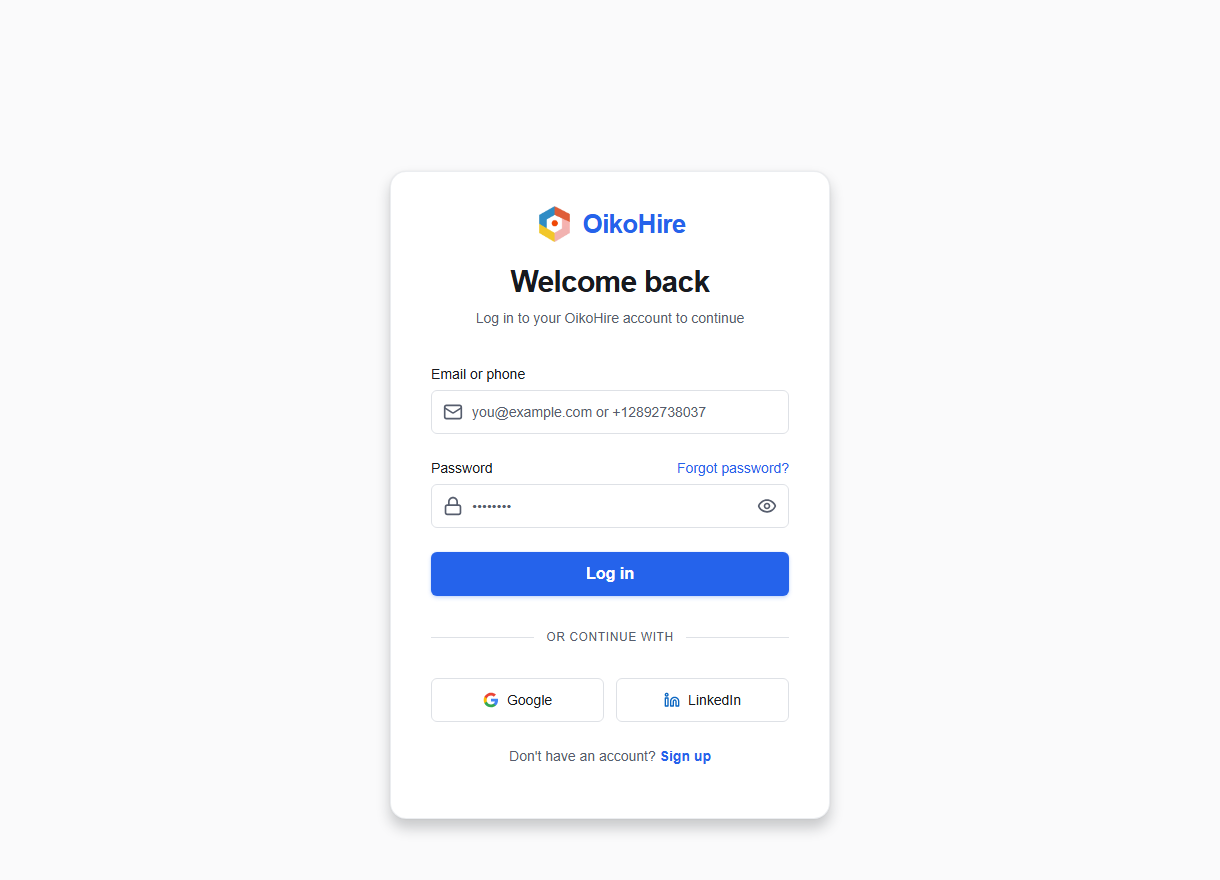
Sign in to OikoHire
Welcome back! This guide explains how to authenticate your OikoHire account, resolve login issues, and access your dashboard.
1. Enter your credentials
To sign in with your email or phone number:
- Navigate to the OikoHire Sign In page.
- In the Email or phone number field, enter your registration identifier:
- Email format: e.g.,
name@company.comorcandidate@gmail.com. - Phone format: Must include the leading
+and country code (e.g.,+12892738037).
- Email format: e.g.,
- Enter your Password (must be at least 8 characters).
- Click the Show (eye icon) button to toggle password visibility.
- Click Log In.
Anti-Abuse Verification
All sign-in requests run an invisible reCAPTCHA check in the background to ensure security and prevent brute-force attacks.
2. Dynamic authentication pathways
Depending on your account configuration and role, one of the following occurs:
- Direct Dashboard Access: If your details are correct, OikoHire redirects you directly to your role's landing dashboard.
- Two-Factor Authentication (2FA) Prompt: If you have enabled 2FA, the system will save a temporary challenge ID in your session storage and redirect you to the Two-Factor Authentication page.
- Verification Block: If your email or phone is not yet verified, you will be redirected to the Email Verification or Phone Verification pages to complete signup.
3. Social and partner login
You can authenticate using integrated identity providers:
- Google Login: Click Sign in with Google to log in using your Google identity.
- LinkedIn Login: Click Sign in with LinkedIn to log in using your LinkedIn professional account.
4. Troubleshooting and page errors
If your login attempts fail:
| Error / Notice | Likely Cause | Recommended Resolution |
|---|---|---|
| Invalid credentials | Incorrect password or identifier format. | Check spelling, toggle password visibility, or use Forgot password. |
| Connection timed out | Network block or local proxy failure. | Disable custom VPNs/proxies and try again. |
| Account deleted notice | The account was recently deactivated by the user or an administrator. | Contact OikoHire Support. |