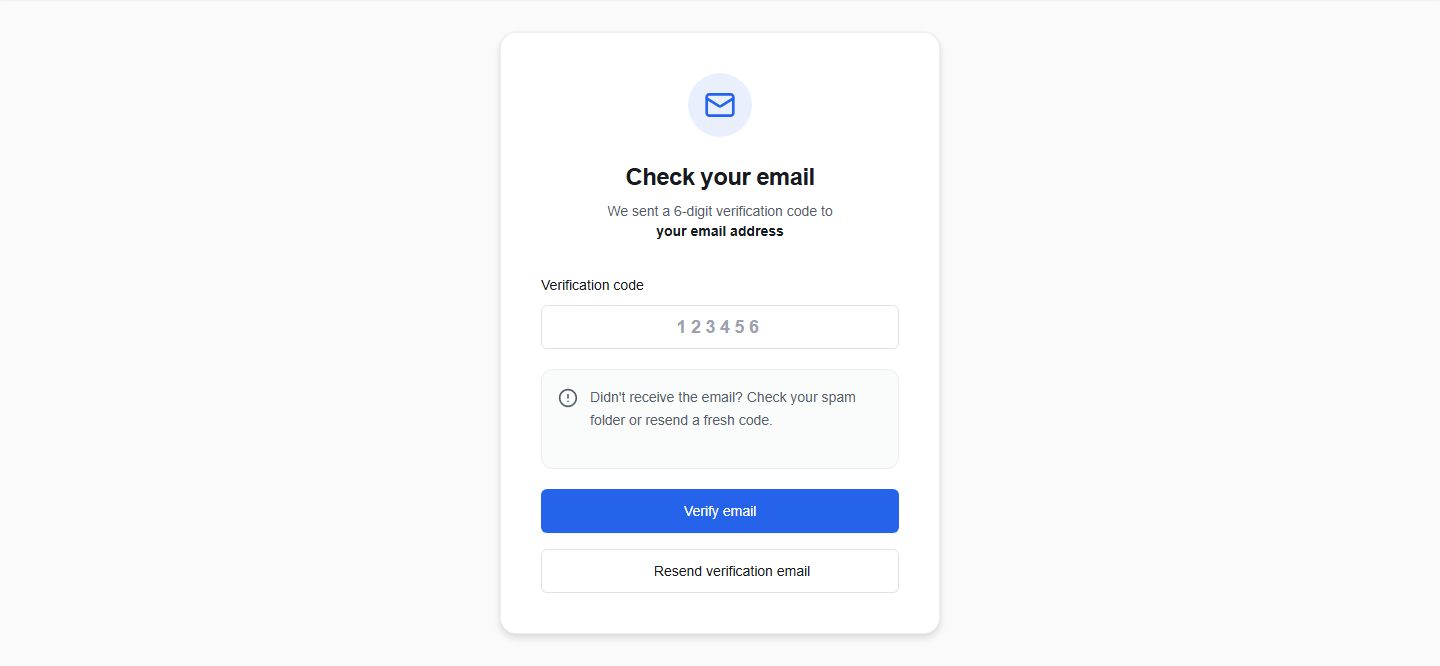
Verify your email address
To keep your account secure, OikoHire requires all email-based accounts to verify their contact details before accessing dashboards.
1. How the email code works
Immediately after registering or logging into an unverified account:
- OikoHire automatically sends a 6-digit numeric verification code to your email.
- The verification screen will show a masked preview of your address (e.g.,
c\*\*\*@company.com) to preserve privacy. - Check your email inbox for a message from OikoHire containing your OTP (One-Time Password) code.
2. Enter the code
- On the verification page, locate the Verification code input box.
- Type or paste the 6-digit code.
- Note: Non-numeric characters are automatically ignored.
- Click the Verify email button.
- Upon successful validation, your account status is updated to
VERIFIED, and OikoHire redirects you to the Onboarding Hub.
3. Resending a code
If the email does not arrive:
- Check your Spam, Junk, or Promotions folder.
- Wait for the 60-second countdown timer on the resend button to expire.
- Once the countdown completes, click Resend verification email to generate a new OTP.
OTP Expiry
Requesting a new verification email invalidates the previous code. Make sure you only enter the most recently received code.