Manage roles and permissions
Roles & Permissions (/dashboard/super-admin/roles-permissions) exposes the permission matrix across privileged roles.
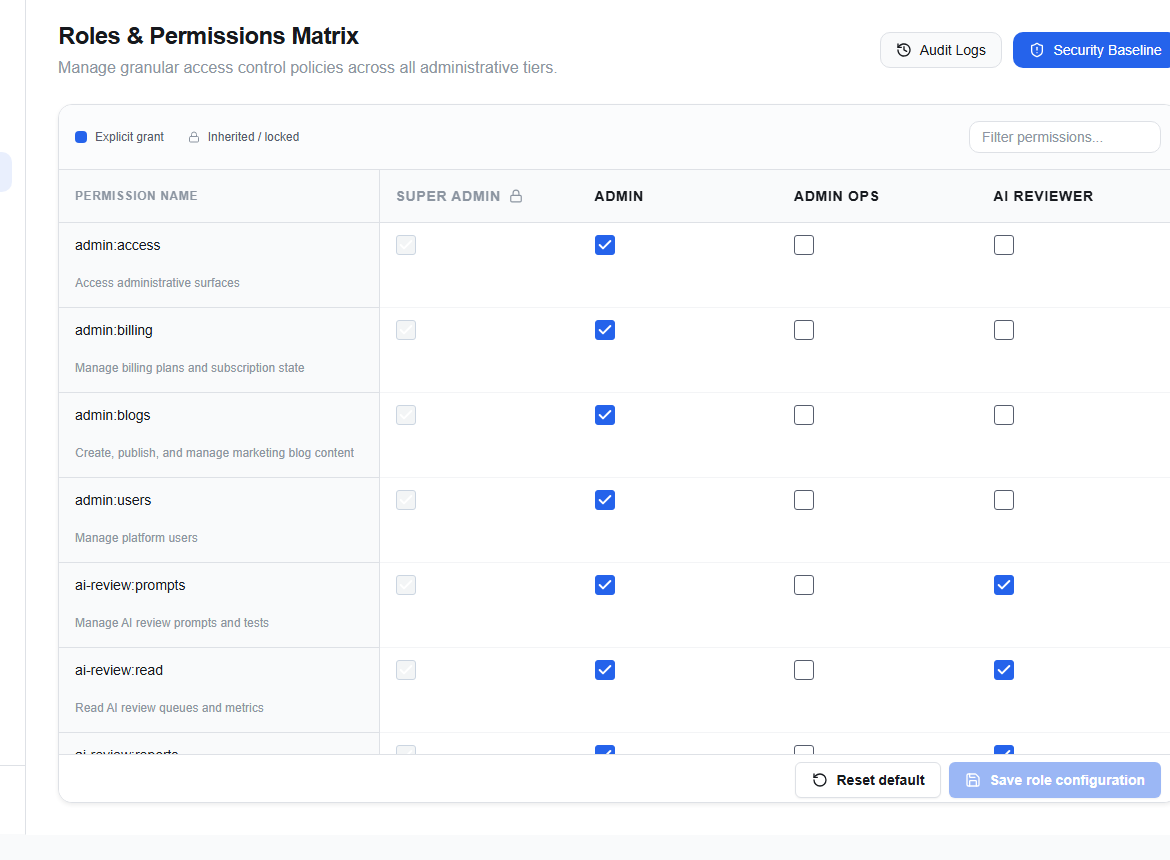
Filter permissions to find the exact capability. Compare the current role assignments with the approved request and the security baseline.
Use the Permission change justification workflow for a scoped change. Bulk actions require an additional review because they affect multiple grants at once.
Apply least privilege. Do not copy another user’s role as a shortcut, and do not bundle unrelated permissions into one change. Stop if the requested permission is not represented by the approved role model.
Verify the resulting matrix, audit event, and live access. Roll back the specific grant if the outcome differs from the approved request.